Variables & Data Types
What are variables and data types, and how do developers use them to store information in a program?
This is the first JavaScript lesson of the year. Prior to this unit, students should be well familiarized with HTML & CSS; having built a front-end interface using the two languages.
A print-ready PDF or an editable DOCX. Both include a timed agenda that you—or a substitute teacher—can follow.
Two CodeDash activities, ready to open
Opening a snapshot forks it into the student's own workspace. There's no account to create, nothing to install, and no starter file to hand out.
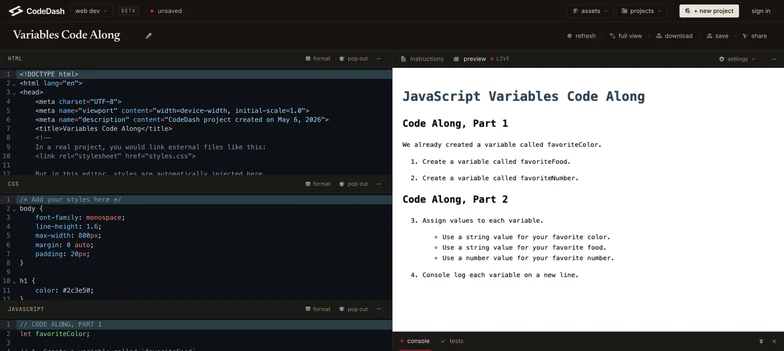
Code Along
3 min, then 5 minfavoriteColor, favoriteFood, and favoriteNumber, assign two strings and a number, then log each one on its own line.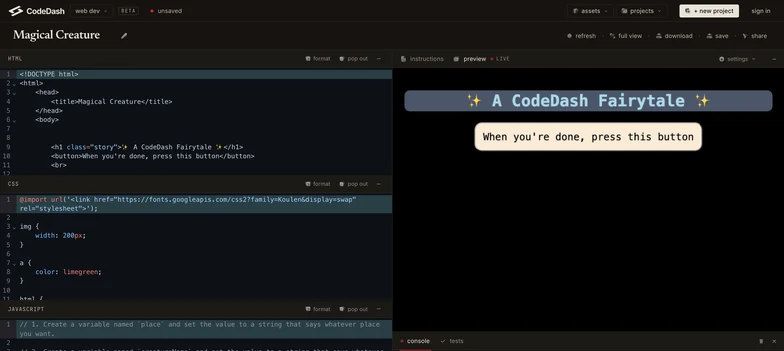
Code Solo
15 minnull in the DOM block provided, then press the button to read their story back.A full class period, planned out
The lesson never teaches for more than five minutes at a stretch. It explains a piece, moves into the editor, comes back for the next piece, and closes with a longer solo build.
- Do Now 5m
- From math to code 4m
- Declaring a variable 5m
- Code Along, part 1 3m
- Data types 5m
- Assigning and updating values 4m
- Code Along, part 2 5m
- Comments 3m
- Code Solo 15m
23 of the period's 49 minutes are spent with students writing code, split across three trips into the editor. Each one runs in a browser tab.
Slides for Lesson 3.1
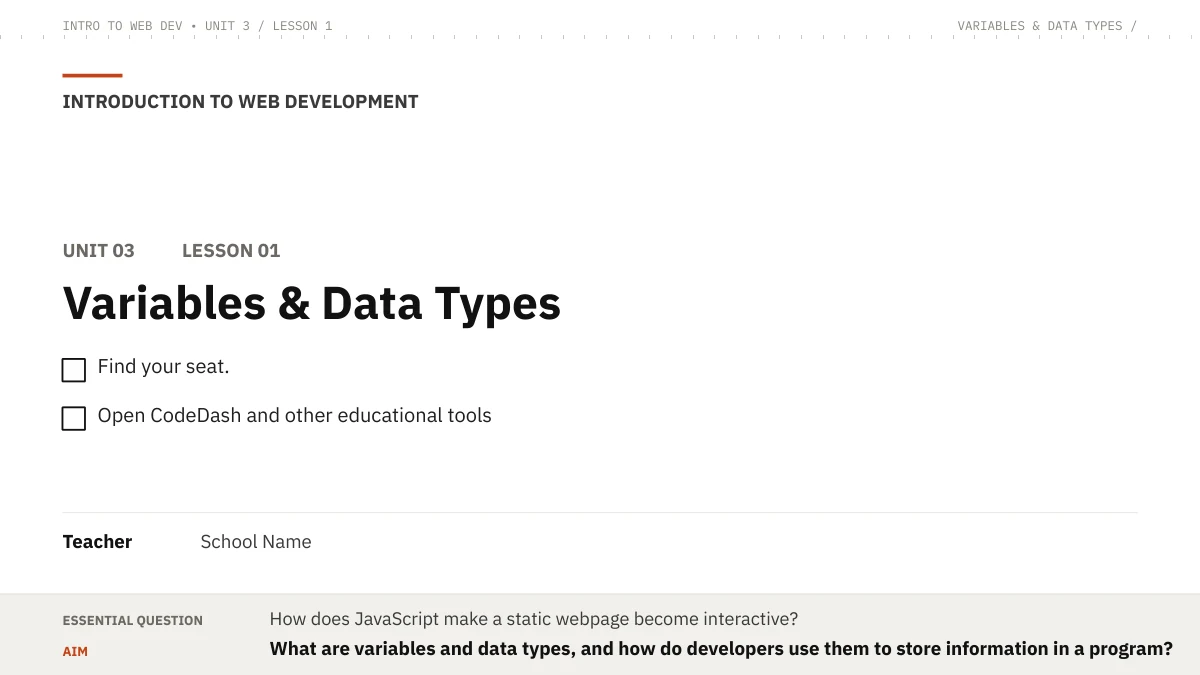
The deck the lesson is taught from, including the Do Now prompt that goes up on the projector at the start of the period.
Built for this lesson, in two languages
Both sheets were written for this specific lesson rather than adapted from a generic template, and both are in English and Spanish.
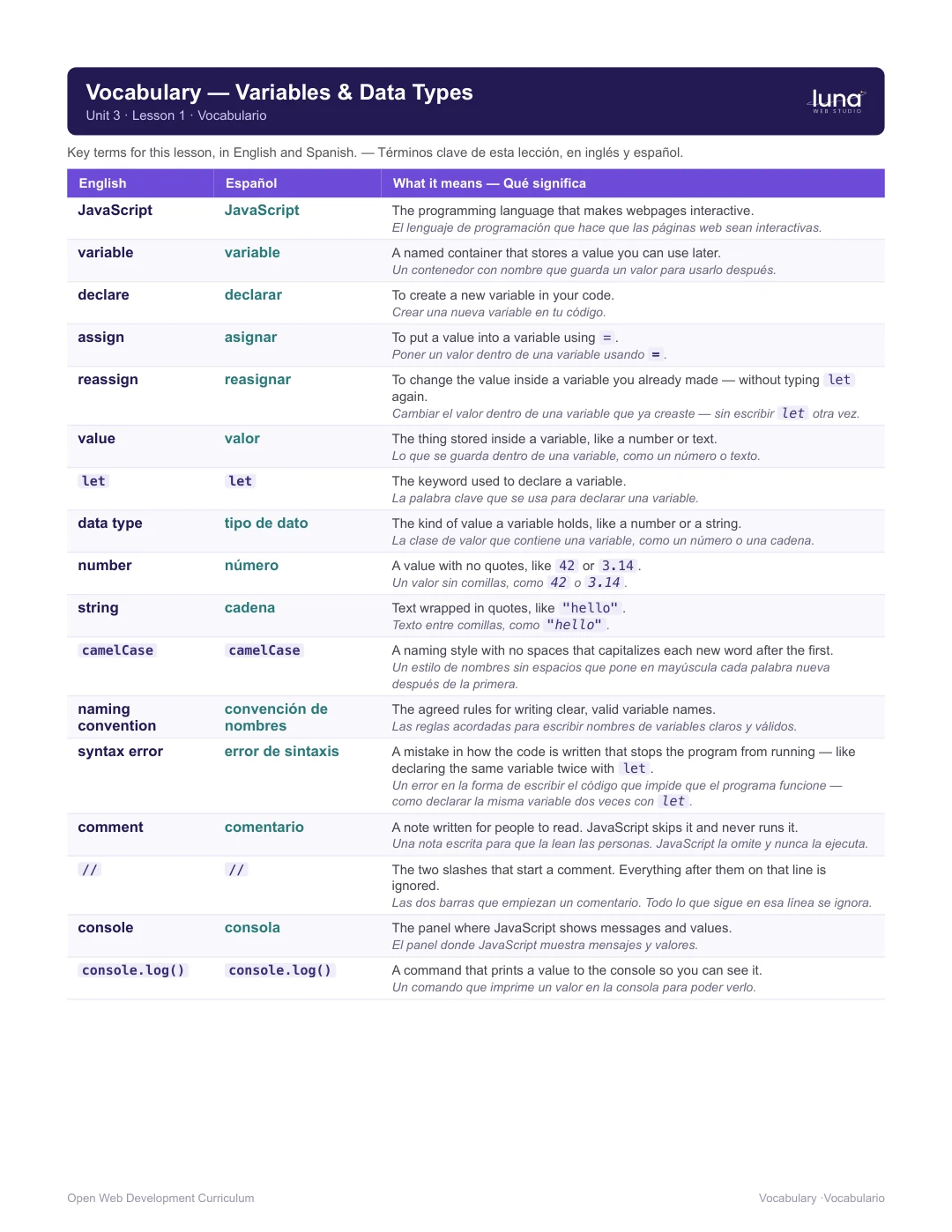
Vocabulary card
PDF · 1 pageAll 17 terms from the lesson, each with a plain-language definition in English and Spanish.
Download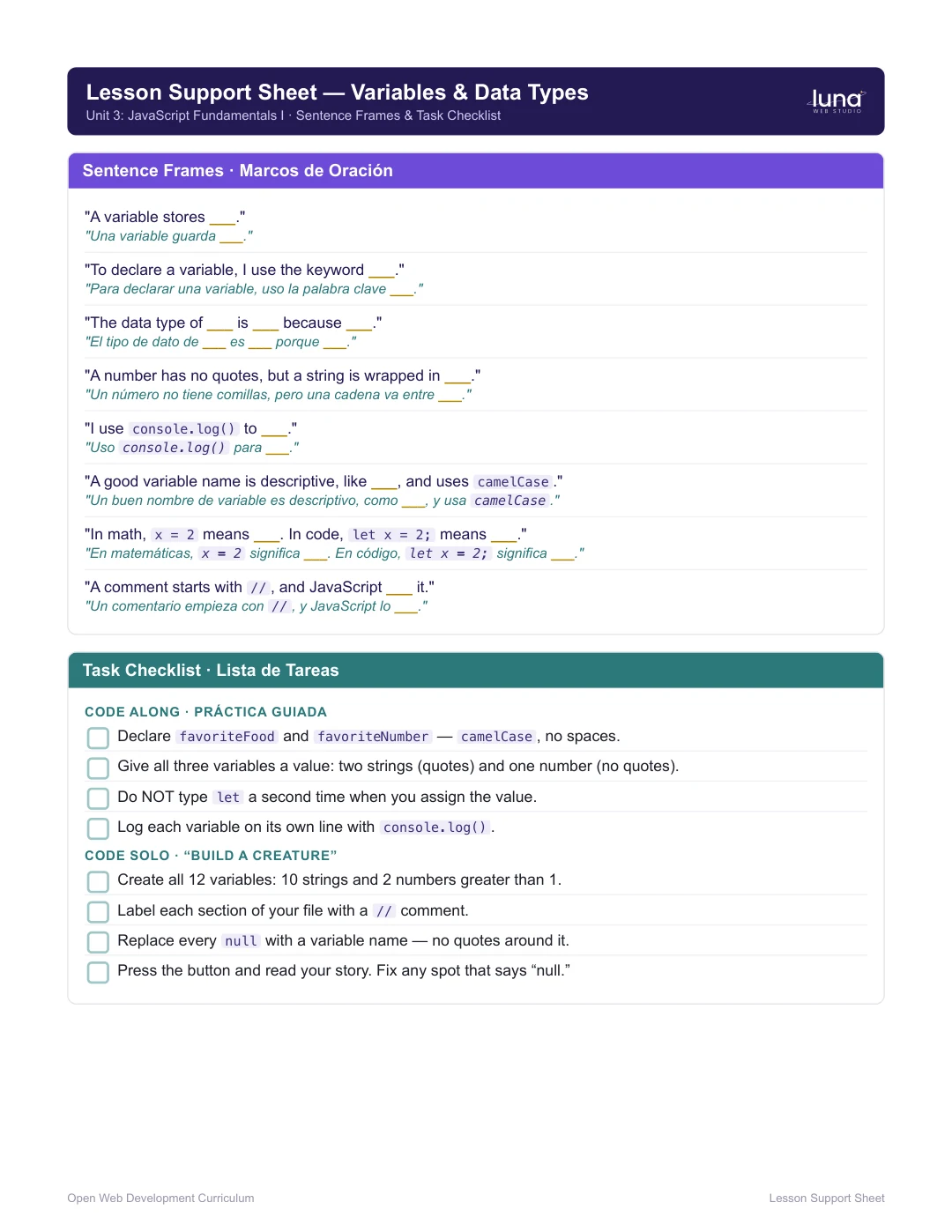
Lesson support sheet
PDF · 1 pageBilingual sentence frames and a task checklist that breaks the Code Solo into five smaller steps.
Download// comments in their home language first.Everything you need to teach it
Students will be able to
-
Define variables and declare them using
let. -
Use JavaScript naming conventions —
camelCase, no spaces, descriptive names. - Identify whether a variable holds a number or a string, and explain why.
- Reassign a value without re-declaring, and explain why re-declaring causes an error.
-
Use
console.log()to display and explain variable values. -
Write single-line
//comments to label and explain code.
Standards already mapped
The plan connects the lesson to Common Core, the New York State Computer Science & Digital Fluency standards, and CDOS.
- CCSS.MATH.PRACTICE.MP2 and MP6
- CCSS.ELA-LITERACY.L.9-10.6
- NYS CS & Digital Fluency 9-12.CT.1
- NYS CS & Digital Fluency 9-12.CT.4
- CDOS Standard 3b
More lesson samples are on the way.